Missive
FreemiumTeam inbox and email collaboration platform combining email, chat, and tasks with shared drafts, assignments, and workflow automations for teams.
What does this tool do?
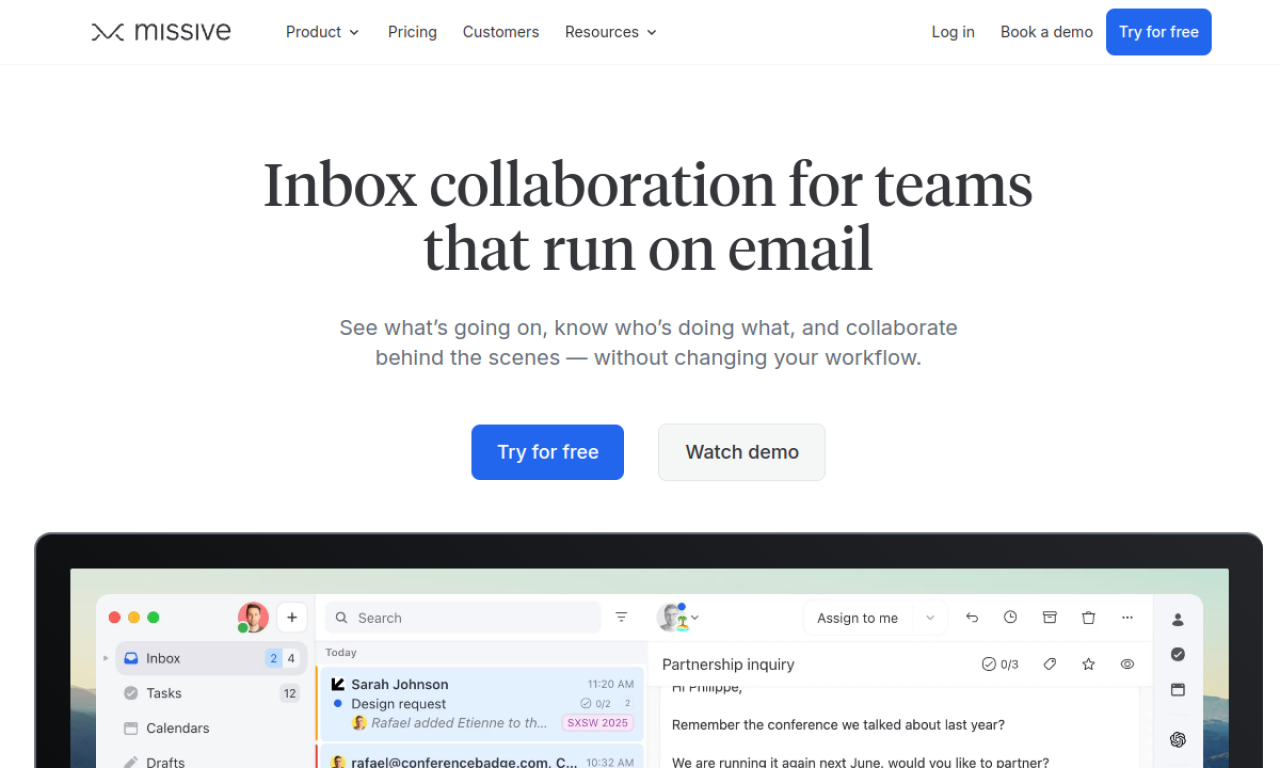
Missive is a shared inbox platform that retrofits email for team collaboration by layering conversation threads, task management, and workflow automation on top of traditional email. Unlike standalone email clients, Missive allows multiple team members to view, discuss, and manage the same incoming emails through internal comment threads before responding to customers. The tool combines shared inboxes (so teams get one email address rather than forwarding chains), task assignment directly from emails, team-specific spaces, and AI-powered rules for labeling. It bridges the gap between email (which businesses can't abandon) and modern collaboration tools by adding visibility into who's handling what and preventing duplicate responses—core problems when teams rely solely on traditional email.
AI analysis from Feb 23, 2026
Key Features
- Shared team inboxes with internal comment threads on individual emails
- Task creation and assignment directly from emails with due dates and progress tracking
- Dedicated team spaces organizing shared inboxes, tasks, and chat by department or project
- Internal statuses and visibility controls allowing managers to track work without edit access
- AI-powered rules for automatic labeling and workflow automation
- Tag and label system for organizing emails and tracking attention required
- Multi-device support (web, iOS, Android) with synchronized inbox state
Use Cases
- 1Customer support teams managing high-volume inboxes where multiple agents need context before responding to the same customer
- 2Sales teams coordinating on prospect emails to ensure consistent messaging and avoid duplicate outreach
- 3Professional services firms (law, accounting) delegating client emails with internal approvals before sending responses
- 4E-commerce and logistics operations coordinating order fulfillment and customer inquiries across departments
- 5Contracted services businesses managing client requests with task tracking and accountability across team members
Pros & Cons
Advantages
- Eliminates reply-all chaos and duplicate responses by providing one shared inbox with clear task assignment and internal commenting
- Deeply integrated with email workflows—doesn't require teams to abandon email or switch apps constantly, making adoption easier than Slack-based solutions
- Built-in task management tied directly to emails (turn any email into a task with due dates and assignments) reduces need for separate project management tools
- Internal status visibility allows managers to see progress without drowning team members in meetings or status updates
- 25+ integrations including CRM and automation platforms reduce app-switching
Limitations
- Primarily focused on inbound email collaboration—less useful for teams that don't rely heavily on email as a primary communication channel
- Requires all team members to use Missive to see full benefits; customers emailing from Gmail/Outlook don't get the collaborative experience
- AI features (labeling with AI rules) appear nascent based on recent changelog; may lack the sophistication of dedicated AI platforms
- Pricing details not publicly available on the website—requires visiting pricing page or contacting sales, creating friction for cost-conscious teams
- Learning curve for teams accustomed to traditional email; requires discipline to use internal comments instead of CC'ing or forwarding
Pricing Details
Pricing details not publicly available.
Who is this for?
Teams of 5-100+ that receive significant email volume and struggle with coordination (support, sales, professional services, e-commerce, logistics). Best suited for organizations where multiple people touch the same customer emails and communication delays or duplicate responses create friction. Particularly valuable for firms with clients (law, accounting, real estate) and service businesses that need to delegate and approve customer-facing responses.